Choose the CV the draft starts from
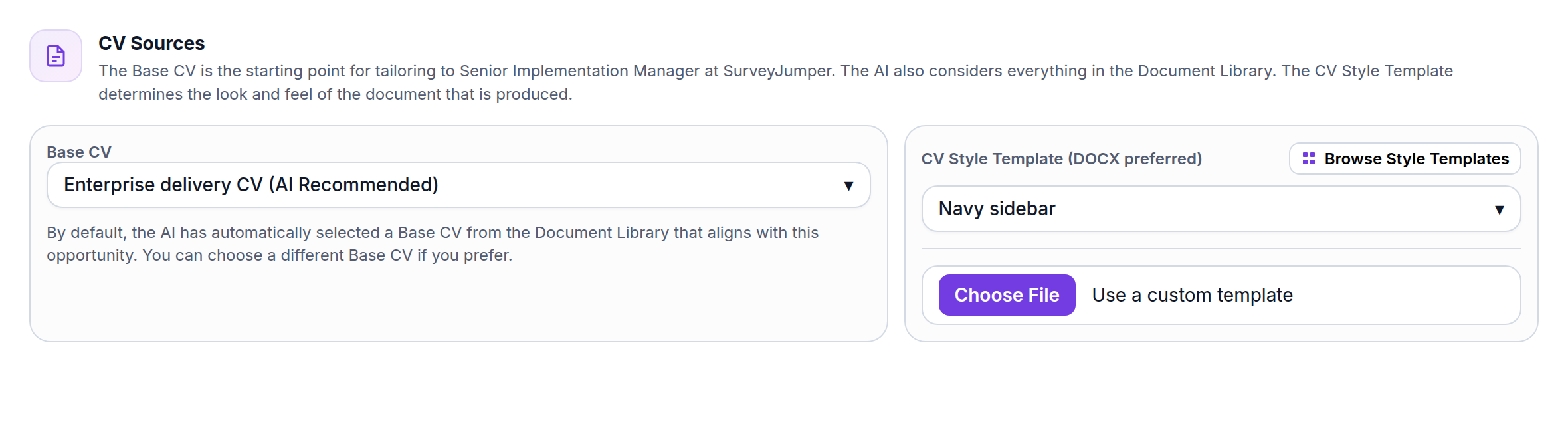
The Base CV is the factual starting point. The rest of the Document Library can still supply an achievement that lives in another file. The style template changes the look, not the history.
Practical guide
Tailoring a CV means choosing, ordering and wording the experience you already have so an employer can quickly see why it fits their role. AI can speed that up, but the evidence has to come from you. This guide walks through the process step by step, with examples of good and bad edits.
Try AI CV tailoring in CVJumperInside the Workbench
In CVJumper the steps below happen in the Workbench. You choose the source CV and a style, read the tailored draft, and keep the cover letter on the same evidence. The samples use a fictional candidate and a fictional role.
Names, employers, and the ATS score are illustrative.
The Base CV is the factual starting point. The rest of the Document Library can still supply an achievement that lives in another file. The style template changes the look, not the history.
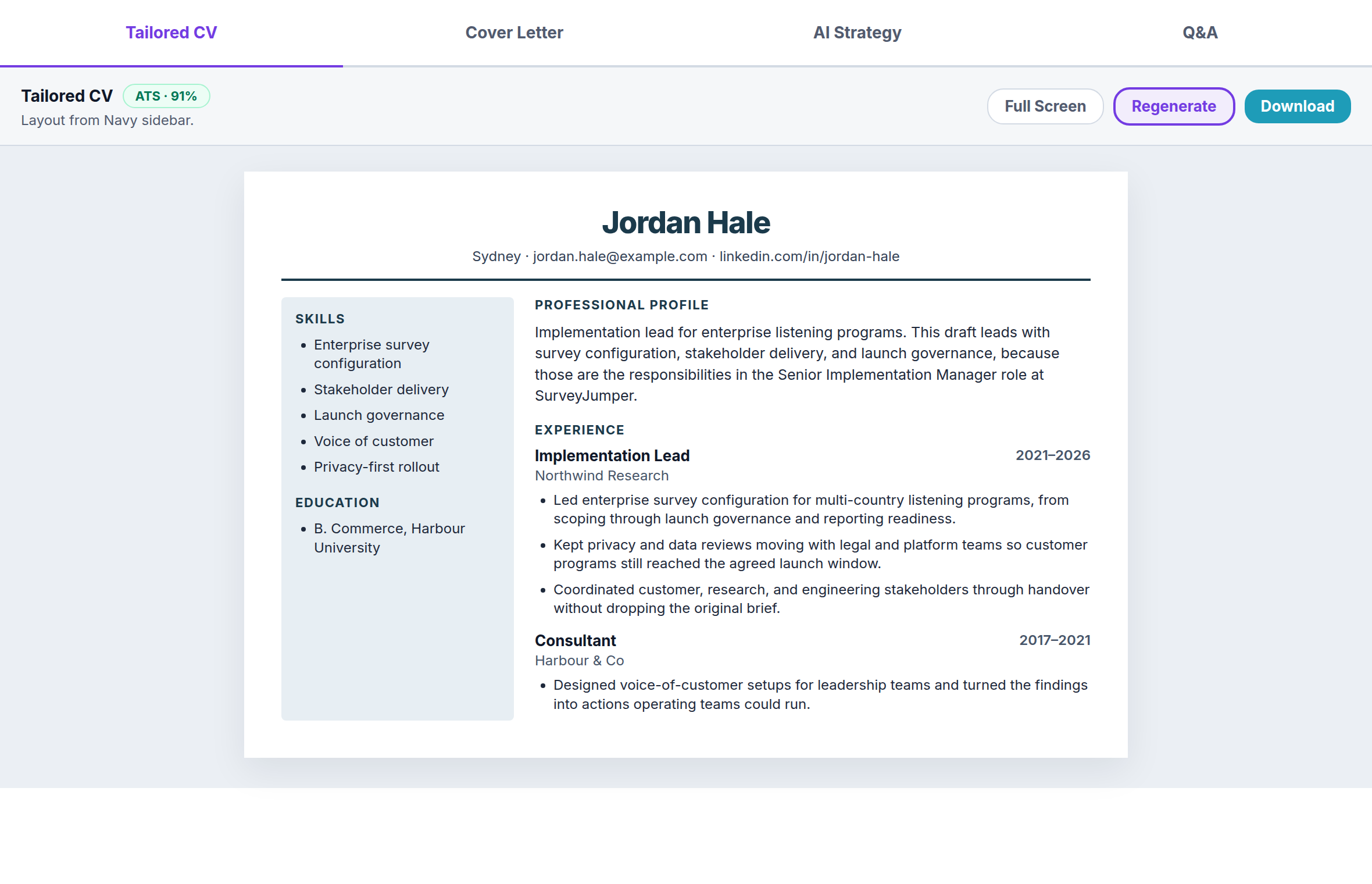
The Tailored CV preview is the stored draft. The profile and opening bullets are aimed at this role. Check every claim before you treat the ATS score as anything other than a prompt to look for gaps.
Before changing anything, list the role's must-have requirements, the main responsibilities and any repeated words. Separate genuine requirements from nice-to-haves. For example, a Customer Success Manager listing might stress 'reducing churn', 'onboarding enterprise clients' and 'working with product teams'. Those three themes, not every adjective in the ad, are what your CV needs to address.
Collect your current CV, older CVs, cover letters and notes about projects. Tailoring works best when the AI can draw on everything you have done, not just one version of your CV. In CVJumper, documents in your Document Library are all available as source material, so an achievement written in an older CV can still be used. Correct anything outdated before you start; an AI draft will repeat mistakes it is given.
For each key requirement, find a specific example from your experience. 'Reducing churn' might match: 'Ran quarterly reviews for 40 accounts; renewal rate rose from 82% to 91% over a year.' If you cannot find evidence for a requirement, note it as a gap rather than writing around it. A short, honest list of matches is worth more than a long list of claims you cannot discuss in an interview.
Most of the gain comes from emphasis. Move the most relevant role or achievement higher, rewrite the summary so it speaks to this job, and use the employer's terminology where it honestly describes your work. Example: 'Account manager with B2B SaaS experience' becomes 'Customer success lead focused on enterprise onboarding and retention in B2B SaaS', provided onboarding and retention were really your focus. Leave less relevant detail shorter instead of deleting your history.
This is the most important rule of AI CV tailoring. Do not let a draft add a certification you do not hold, inflate a job title, stretch dates, or create metrics. A bad edit looks like this: 'Salesforce Certified Administrator' appearing because the job asked for Salesforce, when you have only used it day to day. The honest version is 'Used Salesforce daily to manage a 40-account portfolio.' Employers check claims, and invented details can cost you the offer even after an interview.
A good AI tailoring tool compares your documents with the job description, suggests which achievements to emphasise and drafts the wording. In CVJumper's Workbench you choose the opportunity and a Base CV, generate a tailored draft, then refine it with the editor and the Career Coach chat. Read the result against your source documents: every achievement, date and qualification should be something you can explain. Treat any match or ATS-style score as a prompt to check gaps, not as the employer's screening result.
Your cover letter should tell the same evidence-based story as the tailored CV, expanding on one or two of the strongest matches. Check formatting, contact details and file name before sending; CVJumper exports reviewed documents as DOCX files you can open in Word. Keep each tailored version alongside the opportunity so you can prepare for interview questions about exactly what you sent.
The top third of the CV addresses the role's main requirements. Each claim is backed by your real experience. No new qualifications, titles, dates or numbers have appeared. Gaps are left as gaps, or addressed honestly in the cover letter. The CV and cover letter agree. Tailoring improves how clearly you present your experience; it does not guarantee an interview.